

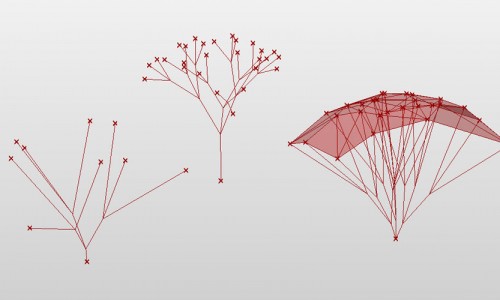
The definitions show how to create 2D Branching Structures using RABBIT.
More about Branching Structures: http://algorithmicbotany.org/papers/abop/abop-ch1.pdf
The meanings of the symbols:
F move forward at distance L(Step Length) and draw a line
f move forward at distance L(Step Length) without drawing a line
+ turn left A(Default Angle) degrees
– turn right A(Default Angle) degrees
roll left A(Default Angle) degrees
/ roll right A(Default Angle) degrees
^ pitch up A(Default Angle) degrees
& pitch down A(Default Angle) degrees
| turn around 180 degrees
J insert point at this position
“ multiply current length by dL(Length Scale)
! multiply current thickness by dT(Thickness Scale)
[ start a branch(push turtle state)
] end a branch(pop turtle state)
A/B/C/D.. placeholders, used to nest other symbols

Hello MORPHOCODE!
Is there a symbol to express the angle scale? It would be very useful. Thanks (:
Hello MORPHOCODE!
Is there a symbol to express the angle scale? It would be very useful. Thanks a lot(:
Hi there,
no, in the current version there’s no symbol to control the angle scale. This is something we plan to add in the next releases.
Greetings
Good day!
Help please, how to write and build with the help of Rabbit a three-dimensional bush-like structure
n=7, δ=22.5
ω : A
p1 : A → [&FL!A]/////’[&FL!A]///////’[&FL!A]
p2 : F → S ///// F
p3 : S → F L
p4 : L → [’’’∧∧{-f+f+f-|-f+f+f}]
this is too cool!!!
Hello,
I was able to install the plugin without an issue, but I am getting an error “Could not load file or assembly Rhino_DotNet, Vers…eutral, PublicKeyToken=552281e97c755530 or one of its dependencies” when opening either of the files above on the turtle component so it won’t run. I am running Rhino 5 on a Mac. Any idea how to solve this?
I’m having the same issue as morphocode@rayhoracek.com any suggestions?
2D L-System Gh can not run.
hi, links are broken. Is there a any chance you can update the links.
best regards,
Burak